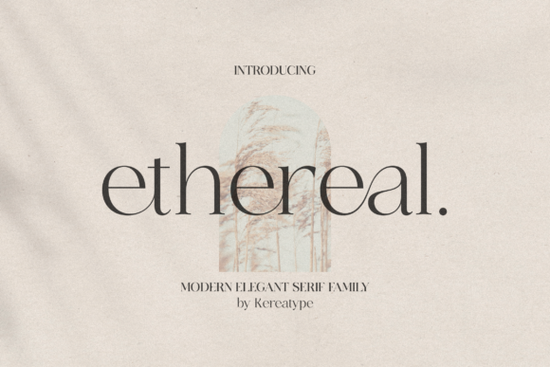
If you're looking for a serif font that blends modern sophistication with timeless elegance, the Ethereal Font is worth your attention. Designed with versatility in mind, this serif family includes multiple weights and comes packed with stylish extras like swashes and alternate glyphs perfect for anyone creating logos, branding materials, or custom merchandise.
What sets Ethereal apart is how effortlessly it balances classic serif structure with contemporary flair. Whether you’re designing a boutique logo, packaging for a luxury product, or even wedding stationery, this font adds a refined touch without feeling outdated. And because it’s PUA encoded, accessing those decorative characters is as simple as selecting them from your font menu no digging through character maps required.
Who is this font best suited for?
Ethereal shines in projects where personality and polish matter. If you run a small business focused on beauty, fashion, wellness, or artisanal goods, this font can help your brand feel both premium and approachable. Print-on-demand sellers will appreciate how well it translates across mugs, tote bags, and apparel especially when paired with minimalist layouts. Crafters and hobbyists also benefit from its range of weights, which allow for clear hierarchy in invitations, greeting cards, or scrapbook titles.
Compared to more traditional serifs like those found in our Bright collection, Ethereal leans into softer curves and subtle detailing. It’s less rigid than classic editorial fonts and more expressive than utilitarian choices like the Old String series. That makes it ideal for brands wanting to stand out without sacrificing readability.
How do I make the most of the extra glyphs?
The real magic of Ethereal lies in its extended character set. Beyond standard letters, you’ll find swashes, ligatures, and stylistic alternates that can transform a basic wordmark into something truly distinctive. Here’s how to use them effectively:
- Start simple: Use the regular or medium weight for body text or subheadings to maintain clarity.
- Add flair selectively: Apply swash capitals only to the first or last letter of a logo or headline overuse can reduce legibility.
- Pair thoughtfully: Combine Ethereal with a clean sans-serif (like Helvetica or Montserrat) for contrast, especially in multi-element designs.
- Test at scale: Always preview your design at actual print or screen size. Some delicate details may disappear on small labels or mobile views.
For inspiration, browse similar elegant options like the Lemon and Orange serif set, which offers a playful twist on formal typography. But if you’re after something with more restrained drama and seamless glyph access, Ethereal remains a standout choice.
Is this font compatible with my software?
Yes Ethereal comes in standard OTF and TTF formats, so it works across Adobe Creative Suite (Photoshop, Illustrator, InDesign), Canva (via upload), Silhouette Studio, Cricut Design Space, and most word processors. Because it’s PUA encoded, programs that support OpenType features (like Illustrator or Affinity Designer) will let you toggle alternates directly from the glyphs panel. Even simpler tools like Microsoft Word can access many extras through the “Insert Symbol” function.
Just remember: not all platforms render PUA characters the same way. If you’re exporting for web use, consider converting text to outlines or using SVG to preserve intricate details.
Final tip before you download
Before committing to any font, ask yourself: Does this reflect the voice of my brand not just today, but a year from now? Ethereal avoids trendy gimmicks, so it’s built to age gracefully. If your aesthetic leans toward quiet confidence over loud statements, it’s likely a strong match.
To get started, explore the full Ethereal Font collection on Creative Fabrica. With its range of weights and ready-to-use ornaments, it’s one of the more flexible serif families available for personal and commercial projects alike.
Quick checklist before using Ethereal in your next project:
- Confirm your software supports OpenType features for full glyph access.
- Test readability at your intended output size (e.g., 12pt for print, 16px+ for web).
- Use swashes sparingly less is often more.
- Pair with ample whitespace to let the letterforms breathe.
- Download and install all weights you plan to use to maintain consistent styling.
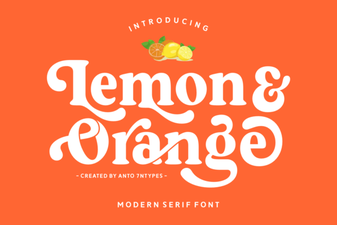 Fresh Citrus Fonts for Modern Design Projects
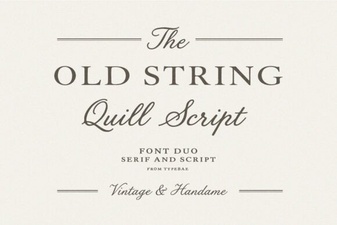 Vintage Typeface Designs for Creative Projects
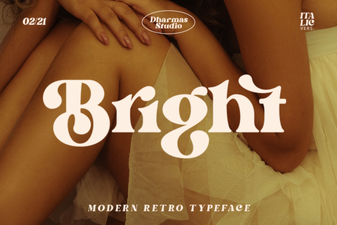 Bright Fonts for Readable and Engaging Designs
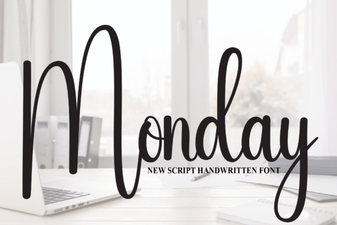 Monday Font: a Modern Tool for Creative Projects
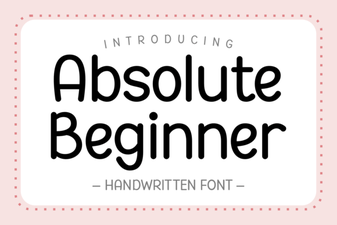 Your Guide to Fonts for Absolute Beginners
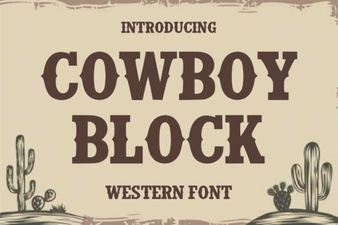 Cowboy Font Block: Design Your Western Projects